
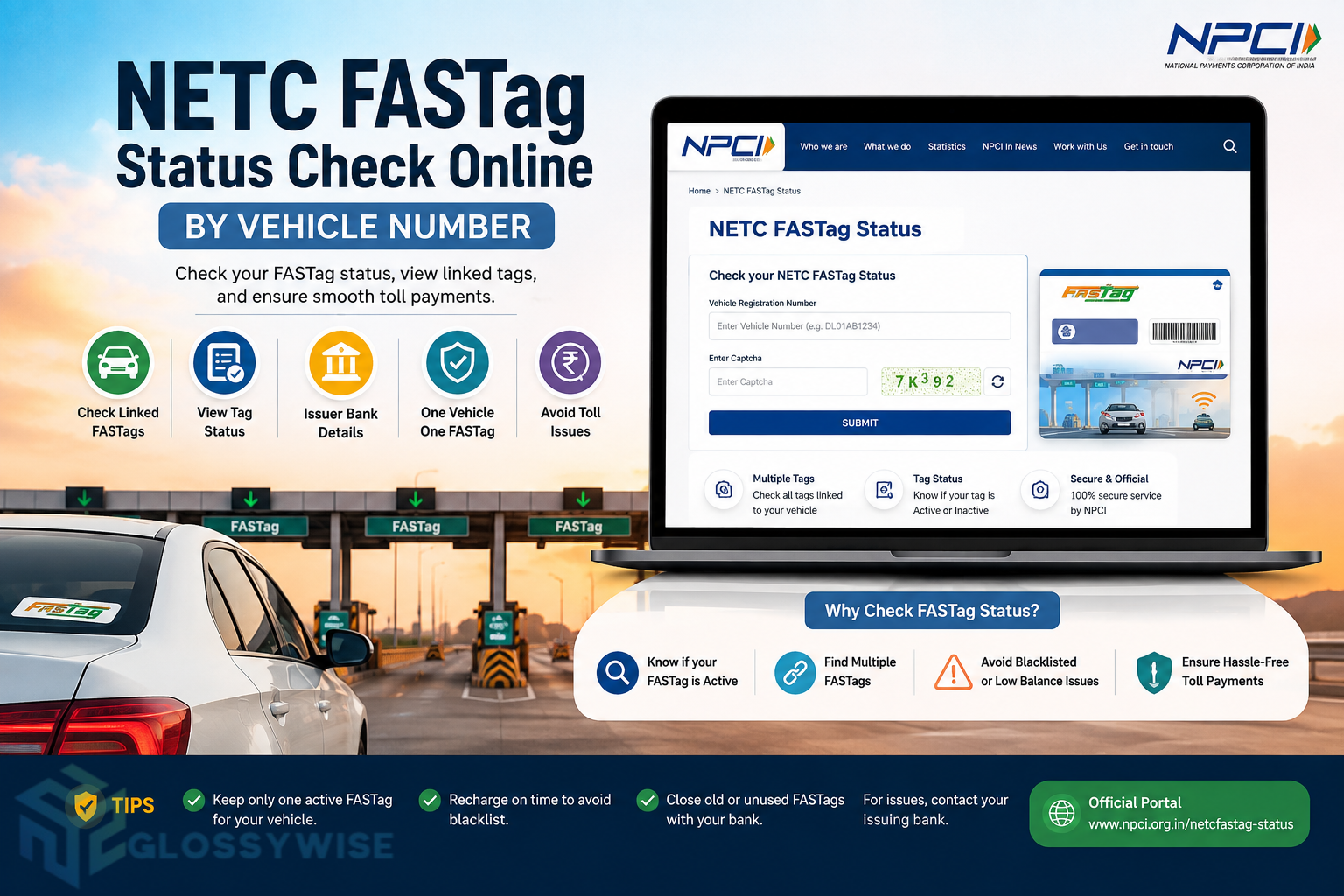
FASTag Status Check Online is important if you want to know whether your tag is active, whether multiple FASTags are linked to your vehicle, or whether an older tag has been closed or replaced. The National Payments Corporation of India (NPCI) provides an official NETC FASTag Status facility that allows users to check the FASTags associated with their vehicle.
The facility is particularly useful for vehicle owners who have purchased or replaced FASTags from different banks over time. NPCI’s guidance confirms that customers can check the list of tags linked with their vehicle and their current status through the NETC FASTag Status facility.
In this guide, you will learn how to check FASTag Status Check Online by vehicle number, how to identify active and closed FASTags, what different FASTag statuses mean, and what to do if you find multiple FASTags linked to the same vehicle.
What Is NETC FASTag Status?
FASTag Status Check Online facility associated with the National Electronic Toll Collection (NETC) system. It helps vehicle owners view information about FASTags mapped to their vehicle.
FASTag itself is an RFID-based electronic toll payment system. The tag is attached to the vehicle’s windscreen and linked to a prepaid, savings, or current account from which applicable toll charges are deducted electronically. NPCI explains that FASTag is vehicle-specific and cannot simply be transferred from one vehicle to another.
The status facility becomes especially useful when a vehicle owner has previously obtained FASTags from more than one issuing bank.
How to Check NETC FASTag Status Online
You can check FASTag status online through the official NPCI facility.
Step 1: Visit the Official NPCI FASTag Status Page
Open the official FASTag Status Check Online page provided by NPCI.
Check NETC FASTag Status on NPCI
The official page is designed specifically for checking FASTag information associated with a vehicle.
Step 2: Enter Your Vehicle Details
Enter your Vehicle Registration Number (VRN) or the required NETC FASTag identification details shown on the portal.
Make sure that the registration number is entered correctly. A small typing mistake can prevent the system from finding the appropriate vehicle information.
Step 3: Complete the Captcha
Enter the captcha displayed on the page. This is used to verify that the request is being made by a real user.
Step 4: Click Submit
After entering the required information and captcha, click the Submit button.
The system can then display the FASTag information associated with the vehicle. Banking guidance also confirms that users can enter their VRN/NETC FASTag ID and submit the request to check tags attached to a vehicle.
Step 5: Check Your FASTag Details
Review the results carefully. If more than one FASTag is associated with your vehicle, check the issue date and status of each tag.
The latest FASTag issued for the vehicle is generally the one that should remain active under the One Vehicle One FASTag framework, while older tags may be closed or deactivated.
What Information Can You Check Through NETC FASTag Status?
The status facility can help you identify the FASTags associated with your vehicle and understand their current status.
Depending on the information available for the vehicle, you may see details such as:
- FASTag or tag identification information
- Vehicle registration details
- Issuing bank or entity
- Tag issue information
- Current tag status
- Multiple tags associated with the vehicle
- Closed or replaced tags
This is particularly helpful when you have changed FASTag providers or received a replacement tag.
One of the most useful reasons to use the NPCI status facility is to find out whether multiple FASTags are linked to your vehicle.
To check them, visit the official NPCI FASTag Status page, enter your vehicle details, complete the captcha, and submit the request. The available FASTag information can then be reviewed.
IHMCL also confirms that vehicle owners can use the NPCI facility to check the status of multiple FASTags linked with their vehicle number.
If you discover multiple tags, compare their issue dates. The latest issued tag is generally the active tag under the One Vehicle One FASTag approach, while older tags should be closed through their respective issuer.
What Is One Vehicle One FASTag?
One Vehicle One FASTag means that a vehicle should have only one active FASTag.
The purpose of this framework is to prevent multiple active tags from being associated with the same vehicle and to make electronic toll collection more efficient.
IHMCL states that all FASTags linked to a single vehicle except the latest one are to be deactivated. Vehicle owners are still free to recharge their active FASTag through different supported payment methods and are not required to use a particular bank for every recharge.
NPCI’s customer onboarding and KYV guidelines also address the display and closure of multiple tags associated with a vehicle registration number.
There can be several reasons why more than one FASTag appears against a vehicle.
For example, you may have:
- Purchased a FASTag from a previous bank
- Replaced a damaged FASTag
- Changed your FASTag issuer
- Purchased another FASTag without closing the previous one
- Received a replacement tag
- Had an older tag that was never manually closed
This is why checking the NETC FASTag status can be useful before purchasing another FASTag.
Which FASTag Will Be Used for Toll Payments?
If multiple FASTags have been issued for the same vehicle, the latest eligible FASTag is generally the one that remains active under the One Vehicle One FASTag framework.
Kotak’s FASTag FAQ, which directs users to the NPCI status facility, advises checking the issue dates of the FASTags. It states that the latest issued tag will be used for toll payments and older tags should be closed with the respective issuer.
Therefore, if you have multiple tags, don’t simply assume that the tag physically attached to your windscreen is the one currently being used. Check the vehicle’s FASTag status and issue information.
FASTag Status Meaning
Understanding FASTag status can help you determine whether your tag is ready for toll transactions.
Active FASTag
An active FASTag is generally available for use for electronic toll payments, provided the linked account has sufficient balance and other applicable requirements are satisfied.
Low Balance
A low-balance condition indicates that the account associated with the tag has fallen below the applicable threshold. NPCI lists Low Balance as one of the NETC exception categories.
If your FASTag has insufficient funds, recharge it before travelling through a toll plaza.
Blacklisted FASTag
A blacklisted FASTag cannot normally be used for FASTag toll payment until the issue causing the blacklist is resolved.
NPCI identifies Blacklist as an exception category and specifies circumstances under which tags can be placed in that category.
A low balance can also cause a FASTag to become blacklisted at a toll plaza, according to NPCI’s FASTag information.
Hotlisted FASTag
NPCI defines the Hotlist category for tags associated with negative balances or violations of NETC procedural guidelines.
If your tag is hotlisted, you should contact the issuing bank or relevant FASTag provider for resolution.
Closed or Replaced FASTag
A closed/replaced tag is no longer the active tag for normal toll transactions.
NPCI’s exception-code documentation identifies Closed/Replaced as a separate status category for tags that have been closed, surrendered, or replaced.
What Should I Do If My FASTag Is Blacklisted?
If your FASTag appears blacklisted, first determine the reason.
Common issues can include insufficient balance, KYC-related problems, account issues, or other restrictions applicable to the tag.
Check notifications from your FASTag issuer and contact the issuing bank if the reason is unclear. NPCI explains that insufficient balance can result in a tag being blacklisted at a toll plaza.
Do not purchase another FASTag immediately just because the existing one is showing a problem. First check whether the existing tag can be reactivated or the issue can be resolved.
How to Close an Old FASTag?
If you have an old FASTag that you no longer use, you should contact the issuing bank or entity and request closure.
NPCI says customers can initiate manual FASTag closure through the issuer bank or sub-issuer portal. Customers may also contact the issuer’s customer care or email support for assistance.
For tags subject to forceful closure under the applicable process, NPCI’s guidance also specifies a maximum turnaround time of 15 days for tag closure/replacement and associated refund processing.
What Happens to the FASTag Balance After Closure?
The treatment of the remaining balance depends on the closure method and the issuer’s process.
NPCI explains that customers can claim the balance associated with a closed tag according to the applicable closure procedure. In certain forceful-closure situations, funds may be credited back to the source account used for the recharge if the issuer also closes the linked wallet.
If you are unsure about a refund, contact the bank or entity that issued the FASTag.
How to Check FASTag Balance
FASTag balance is normally managed through the issuing bank or FASTag provider’s platform.
Depending on your issuer, you may be able to check your balance through:
- The issuer’s mobile app
- Internet banking
- FASTag customer portal
- SMS notifications
- Customer support
- Other supported payment or FASTag services
IHMCL also describes a FASTag status facility through the My FASTag app that can show wallet status using colour indicators, including green for an active tag with sufficient balance, orange for low balance, and red for blacklisted tags.
Is FASTag Linked to the Vehicle Number?
Yes. FASTag is vehicle-specific, and the NETC system maps the tag to the relevant vehicle information.
NPCI states that FASTag is vehicle-specific and cannot simply be transferred from one vehicle to another.
This vehicle mapping is also why checking the FASTag status against your vehicle registration number is useful.
How to Check FASTag KYC Status?
If your FASTag KYC is incomplete, the issuing bank may notify you through SMS, email, or its application interface.
IHMCL’s FASTag KYC guidance says users with incomplete KYC can update it online through the appropriate issuer process. For bank-issued FASTags, users can access their issuer’s website through the NETC FASTag request facility.
If you haven’t received a KYC-related notification, you should still check your issuer’s account information if you suspect there is an issue.
Why Is My FASTag Not Working at the Toll Plaza?
There are several possible reasons why a FASTag may not work.
The most common possibilities include:
- Insufficient FASTag balance
- Blacklisted tag
- Hotlisted tag
- Incomplete KYC
- Closed or replaced tag
- Multiple FASTags associated with the vehicle
- Tag-related technical problems
- Vehicle or tag mapping issues
Start by checking your NETC FASTag status and then verify your FASTag wallet with the issuing bank.
What If the NPCI FASTag Status Page Is Not Working?
Sometimes an online portal may temporarily fail to load or may display a technical error.
If the NPCI status page is not working, you can try:
- Refreshing the page.
- Using another browser.
- Clearing your browser cache.
- Checking your internet connection.
- Trying again later.
- Contacting your FASTag issuer if the issue continues.
The official NPCI page is the safest place to start rather than relying on unofficial FASTag status websites.
Can I Check FASTag Status Without a Vehicle Number?
The exact information requested by the status facility can depend on the portal’s current interface. Banking guidance for the NPCI facility indicates that users can enter their Vehicle Registration Number (VRN) / NETC FASTag ID and complete the captcha to submit the request.
If you have your FASTag ID but not the vehicle number, use the information accepted by the current NPCI portal.
People Also Ask About NETC FASTag Status
How can I check my NETC FASTag status online?
You can check your NETC FASTag status through the official NPCI FASTag Status facility. Enter the required vehicle or FASTag details, complete the captcha, and submit the request. The facility can show the FASTags associated with your vehicle and their status.
Visit the official NPCI NETC FASTag Status page and enter your Vehicle Registration Number or applicable FASTag ID. After submitting the request, review the FASTags associated with the vehicle.
How do I know if my FASTag is active?
You can check the status of the tag through the relevant FASTag status facility and your issuing bank’s account or app. An active tag should also have sufficient balance and meet applicable requirements for toll transactions.
How do I check FASTag status by vehicle number?
Use the official NPCI NETC FASTag Status page, enter your vehicle registration details, complete the captcha, and submit the form. The results can show the FASTag information mapped to your vehicle.
How do I know which FASTag is active on my vehicle?
If multiple FASTags are linked to your vehicle, compare their issue dates and status. Under the One Vehicle One FASTag framework, the latest eligible tag is intended to remain active while older tags are deactivated or closed.
Multiple tags can appear if you previously obtained FASTags from different banks or received replacement tags without closing older ones. The One Vehicle One FASTag framework is designed so that only one FASTag remains active for a vehicle.
What should I do if my old FASTag is still linked to my vehicle?
Contact the bank or entity that issued the old FASTag and request closure. NPCI provides for manual closure through the issuer’s portal, customer care, or support channel.
How long does FASTag closure or replacement take?
NPCI’s guidance specifies a maximum turnaround time of 15 days for tag closure/replacement and associated refund processing under the applicable procedure.
The One Vehicle One FASTag framework allows only one active FASTag for a vehicle. Older FASTags associated with the same vehicle are to be deactivated or closed, with the latest eligible tag remaining active.
Can I recharge my FASTag from another bank?
The One Vehicle One FASTag concept does not require you to use a specific bank for every recharge. IHMCL states that users can recharge their FASTag using different payment methods such as UPI, BBPS, and net banking.
NETC FASTag Status vs FASTag Balance
It is important to understand that FASTag status and FASTag balance are not exactly the same thing.
The NETC status facility helps you identify tags associated with your vehicle and their status. Your issuer’s portal or app is generally used for account and wallet information such as available balance.
Therefore, if you want to know whether your tag is active, check the tag status. If you want to know how much money is available for toll payments, check the FASTag wallet through your issuer.
Why You Should Check FASTag Status Before a Long Journey
Checking your FASTag before travelling can prevent unexpected problems at toll plazas.
A quick status check can help you identify an old FASTag, insufficient balance, a blacklisted tag, or multiple tags associated with your vehicle. Keeping the correct FASTag active and adequately funded can make electronic toll payments smoother.
This is especially useful if you recently purchased a vehicle, changed your FASTag bank, replaced a damaged tag, or have previously used multiple FASTags.
Final Words
The FASTag Status Check Online facility is a useful way to understand which FASTags are associated with your vehicle and whether there are older or duplicate tags that need attention. NPCI officially provides the facility for checking the list and status of tags linked to a vehicle.
If you have multiple FASTags, check their issue dates and current status. Under the One Vehicle One FASTag framework, only one eligible FASTag should remain active for a vehicle, while older tags should be closed or deactivated.
For the safest and most accurate information, always use the official NPCI facility and contact your FASTag issuing bank when you need to resolve a blacklist, KYC, closure, refund, or account-related issue.
